Free TikTok, Reels and Stories Safe Zone Checker
Upload an image or a video and see which parts the TikTok, Instagram Reels or Stories interface covers: the caption, the buttons, the profile. Keep your text, logo and price inside the safe zone, or download a transparent 1080 × 1920 template to lay over your design.
Updated
Check your ad against the safe zone
Your file stays on your device: it is drawn in your browser and never uploaded.
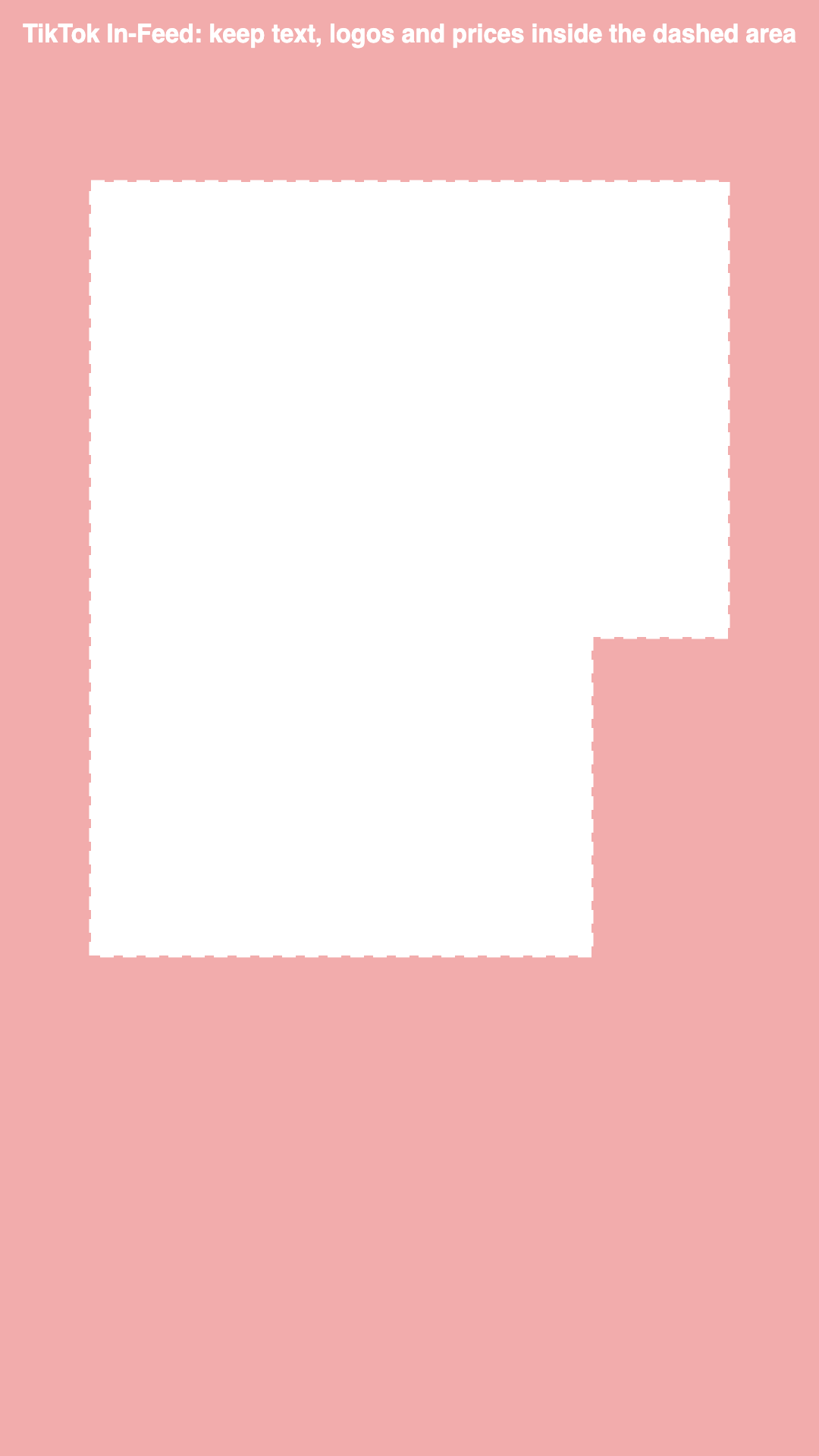
TikTok In-Feed on a 1080 × 1920 frame
Keep clear: 240 px at the top, 660 px at the bottom, 120 px on each side, and 300 px on the right from 840 px down.
A longer ad caption, anchors or interactive add-ons take more of the bottom, so preview the ad in TikTok Ads Manager before launch.
Quick answer
The TikTok safe zone is the part of a 1080 × 1920 ad that TikTok's interface does not cover: keep text out of the top 240 px, the bottom 660 px, 120 px on each side and 300 px on the right from 840 px down. On Instagram and Facebook Reels, keep about 14% at the top and 35% at the bottom clear; on Stories, about 14% at the top and bottom.
The checker runs in your browser: your file is never uploaded, and it needs no account and no credit.
How to check your ad’s safe zone
Upload your ad
Choose a PNG, JPG or WebP image or an MP4, MOV or WebM video. A video is checked on a frame from its first seconds. Files that aren’t 9:16 are cropped the way a vertical placement would show them.
Pick the placement
Switch between TikTok In-Feed, Instagram and Facebook Reels, and Instagram and Facebook Stories. The red areas are what the interface covers; the dashed line is the safe zone.
Fix and download
Move any headline, logo, price or subtitle that sits in a red area. Download the check to share with your team, or a blank transparent template to lay over your design.
Safe zone margins in pixels (1080 × 1920)
| Criteria | Top | Bottom | Left and right | Right-hand buttons |
|---|---|---|---|---|
| TikTok In-Feed | 240 px | 660 px | 120 px | 300 px wide, from 840 px down |
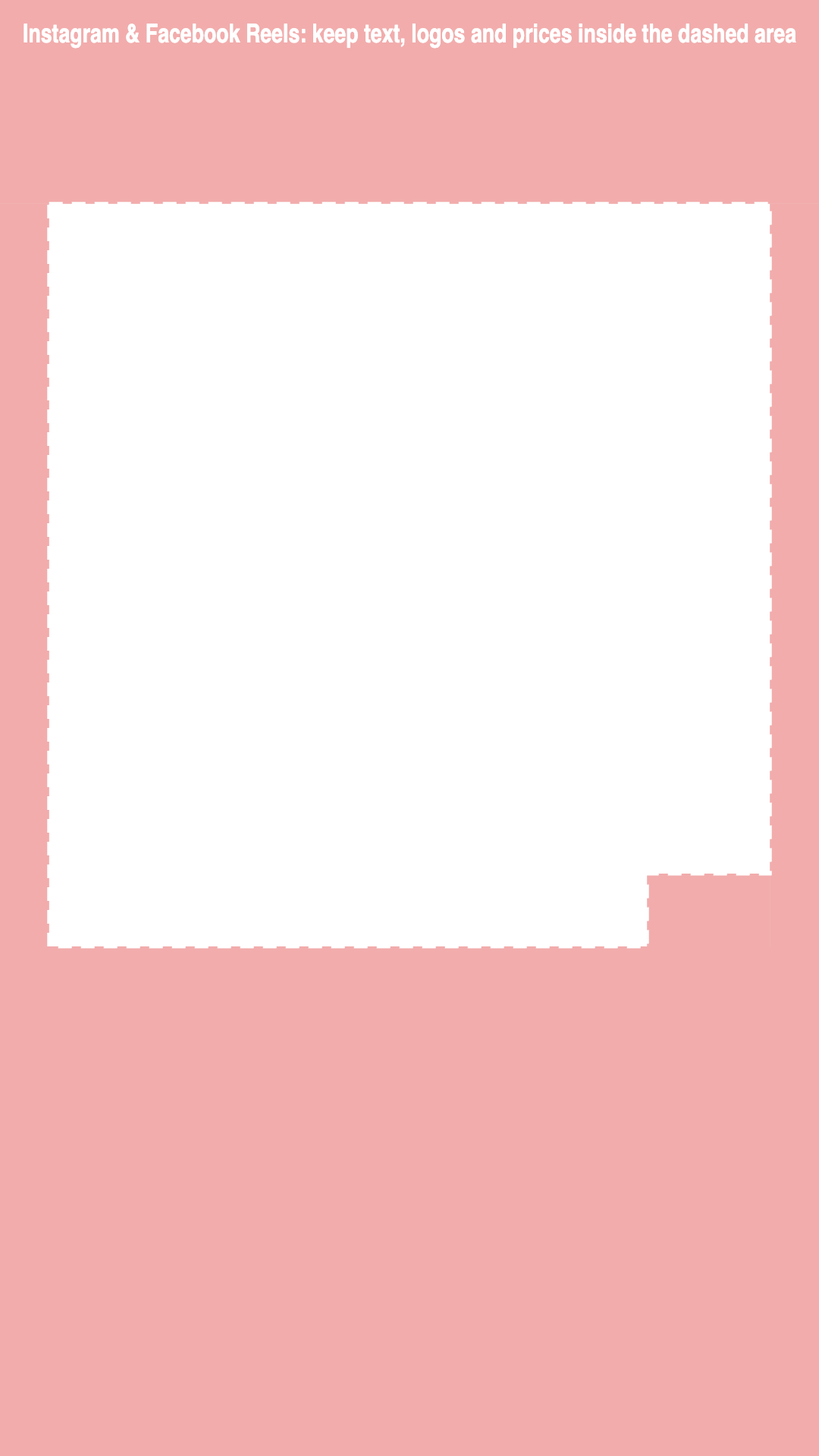
| Instagram & Facebook Reels | 269 px | 672 px | 65 px | 227 px wide, from 1152 px down |
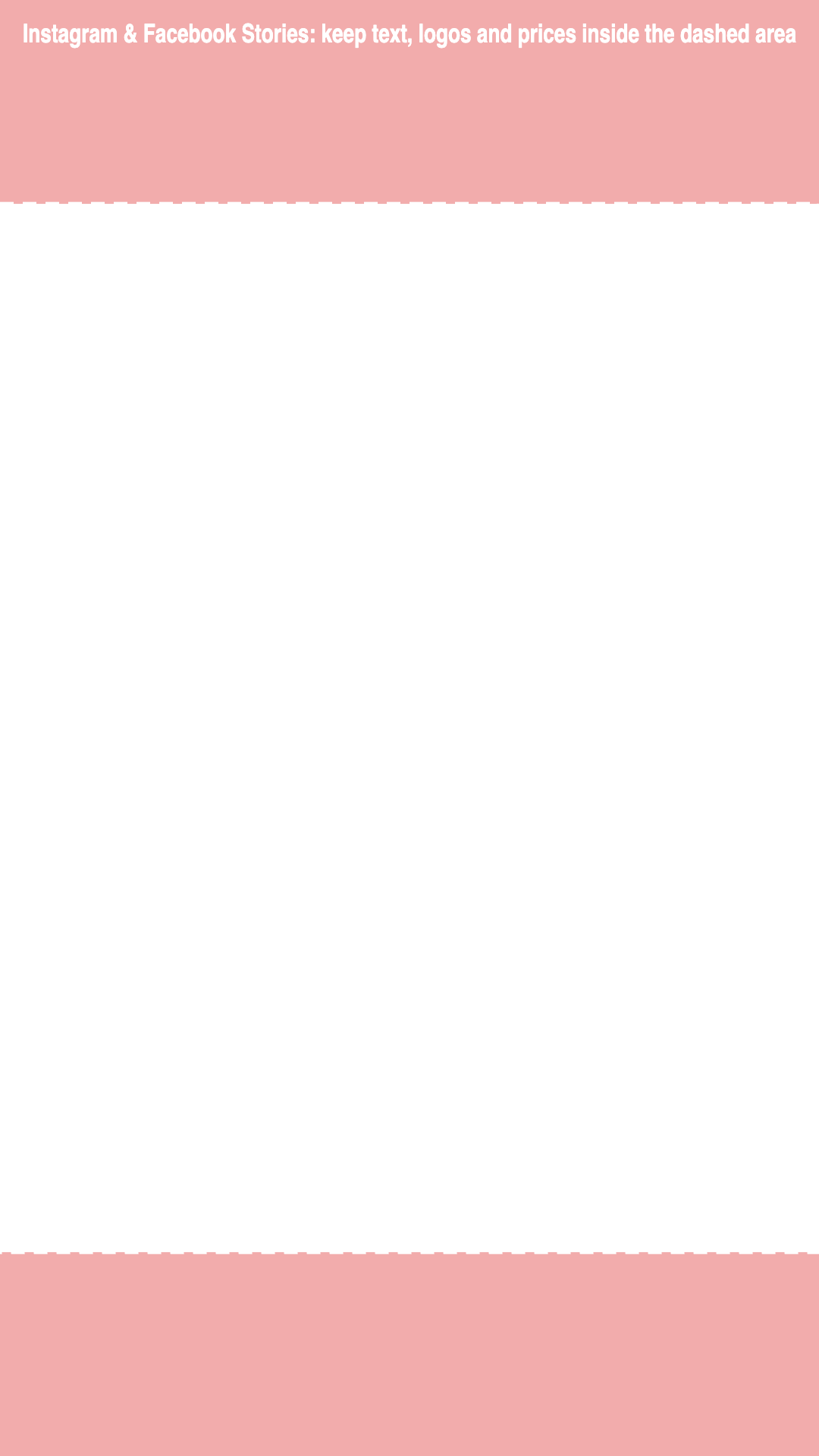
| Instagram & Facebook Stories | 269 px | 269 px | None | None |
TikTok safe zone
TikTok publishes its safe zone as a downloadable In-Feed template rather than numbers. Measured on a 1080 × 1920 frame, the current template keeps 240 px at the top, 660 px at the bottom and 120 px on each side clear, and the right margin widens to 300 px from 840 px down, where the profile, like, comment and share buttons sit.
These are approximations, not official numbers: TikTok says the covered area changes with the caption length and the ad format, and a longer caption, anchors or interactive add-ons take more of the bottom. Treat the line as a minimum and preview the ad in TikTok Ads Manager before launch.
TikTok safe zone template and overlay
The templates above are transparent 1080 × 1920 PNG files: the shaded areas are what the interface covers, and the clear area is your safe zone. In CapCut, Premiere Pro, Final Cut or Canva, put the template on the top layer at full frame, line up your text and subtitles inside the clear area, then hide or delete the layer before you export.
To check a finished ad instead, upload the ad itself to the checker at the top of this page and switch between placements to see what each app would hide.
Instagram Reels safe zones
Reels cover more of the bottom: Meta's guidance is to keep about 14% at the top and 35% at the bottom free of text, around 270 and 670 pixels, where the header, caption, account name, audio label and call to action sit. The like, comment and share buttons sit on the right of the lower part of the frame; the side and button margins in the table are our estimates of that area.
Subtitles are the usual casualty. Place them higher than you would on television, above the bottom band and away from the right-hand buttons.
Instagram Stories safe zone
On Stories, the top of the screen holds the profile picture, the account name and the progress bar, and the bottom holds the reply field and the call-to-action button. Meta’s guidance is to keep about 14% of the height free at the top and at the bottom, roughly 270 pixels each on a 1080 × 1920 frame.
Put the headline just under the top band, the product in the middle, and the offer above the bottom band, never in it. Backgrounds and decorative elements can run to the edges.
What to keep inside the safe zone
Anything a viewer has to read or recognize: the headline and hook text, subtitles, the logo, the product name, the price and the discount, deadlines and any required disclosure. If one of them is covered, the ad loses its message even if it passes review.
If you make ads with Upadz, its vertical video ads already place captions and the on-screen hook for the feed, and its static ads come in portrait, square, story and landscape formats. Upadz researches the selling angle, then makes static and video ads. Start with 50 one-time credits on the Free plan, no card required.
One UGC ad, checked against each safe zone
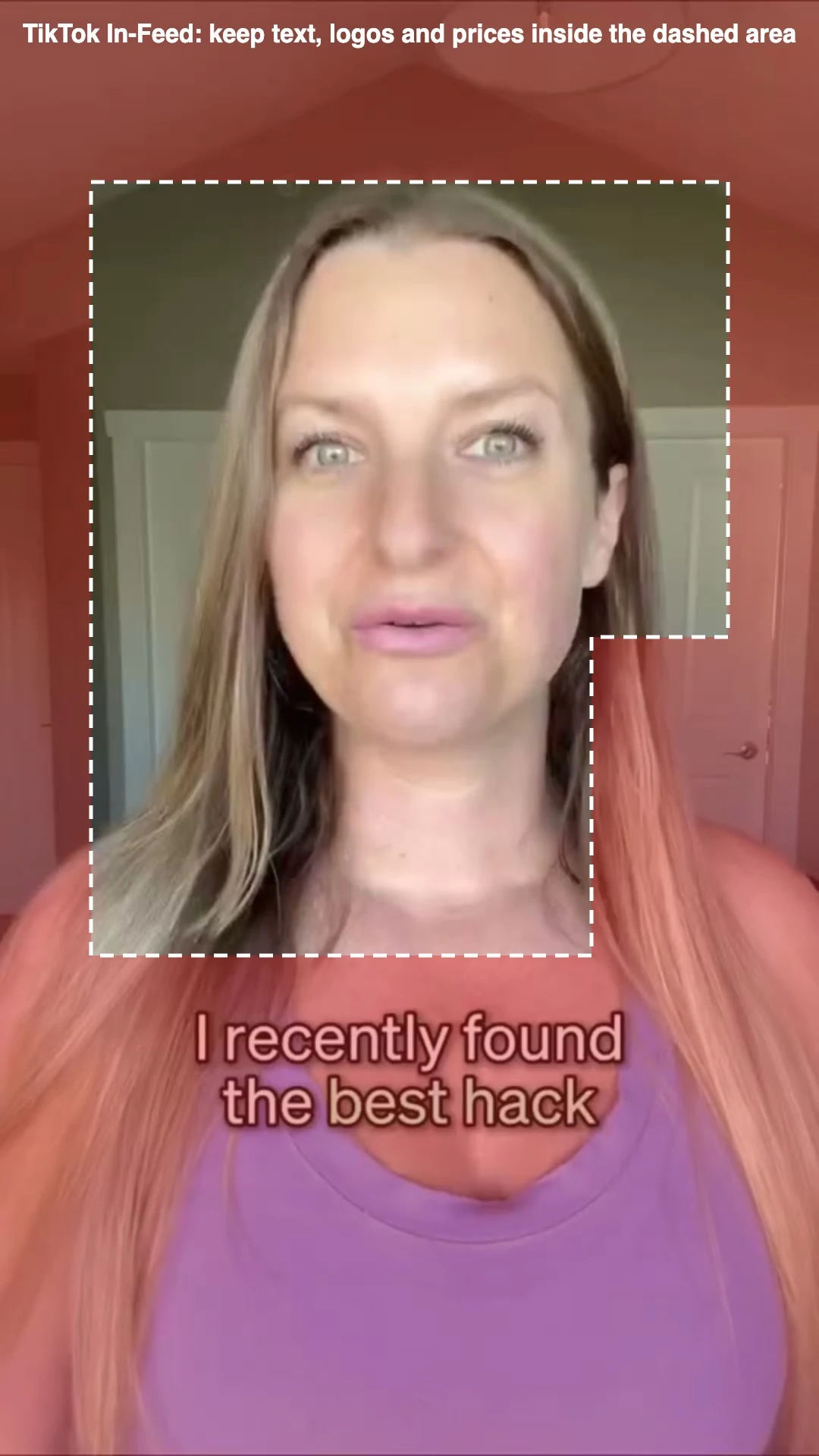
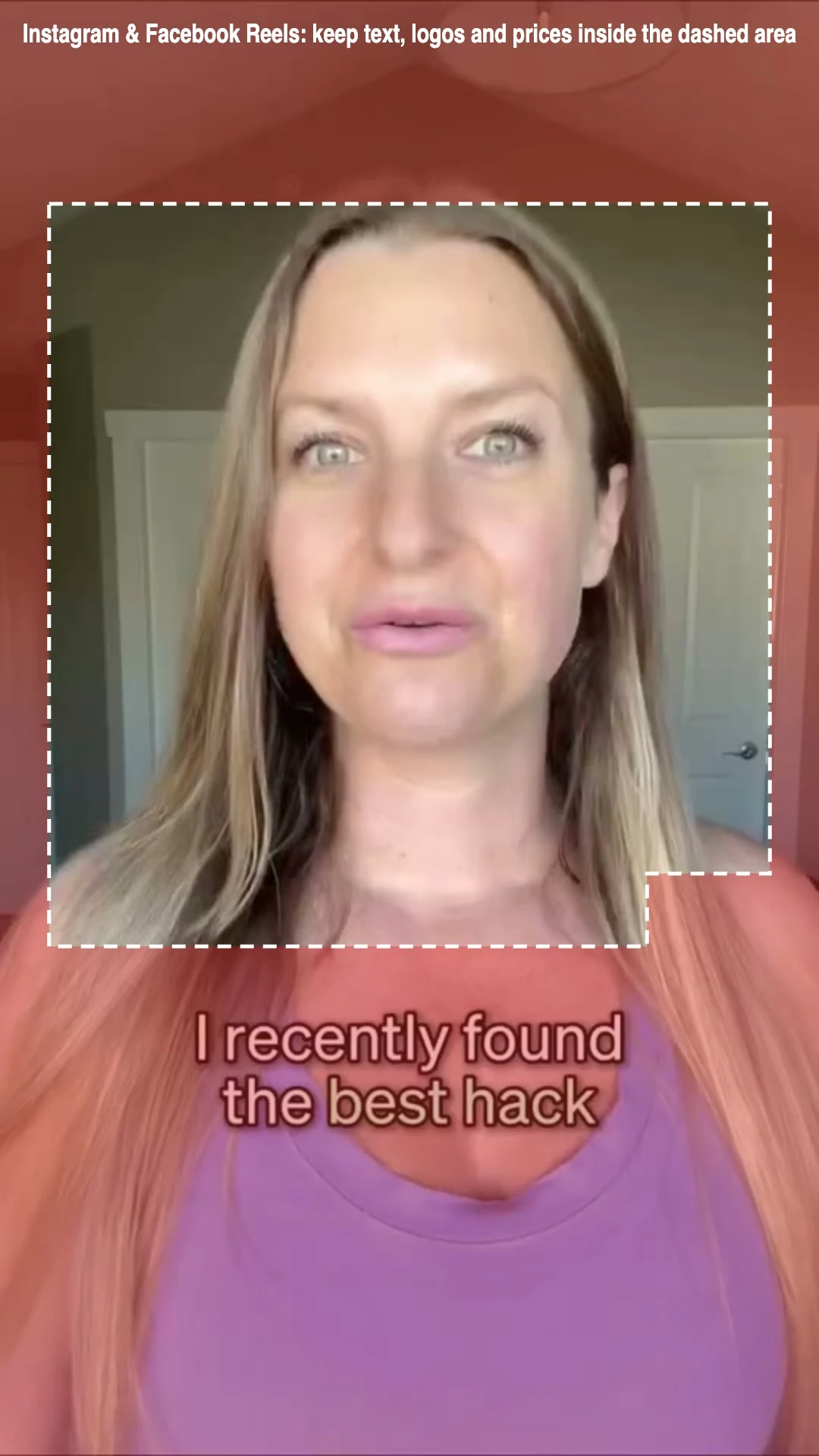
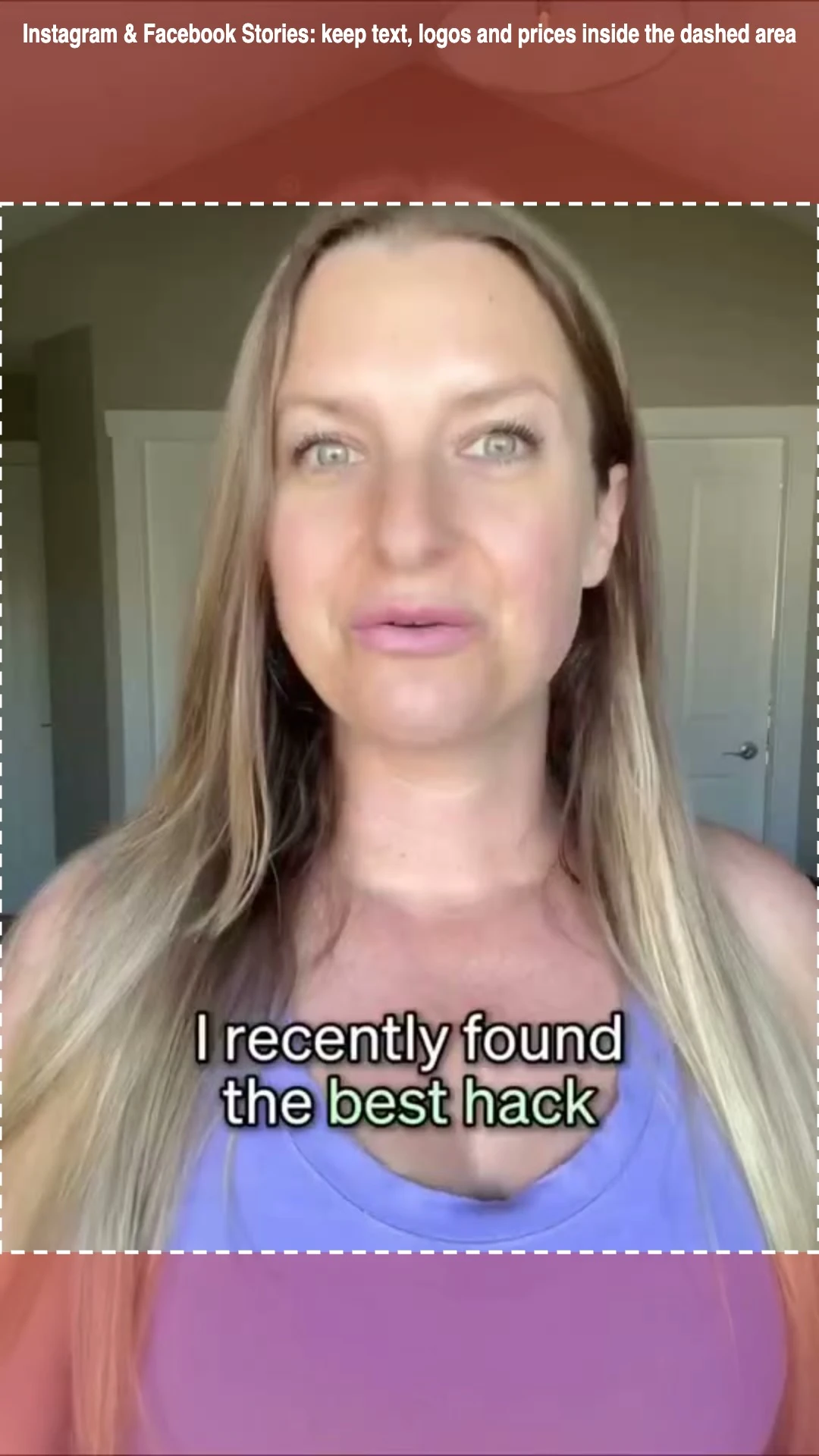

A vertical UGC ad made with Upadz: its subtitle sits in TikTok's covered bottom band, so it would need to move up before running on TikTok.
Frequently asked questions
What is the TikTok safe zone?
On a 1080 × 1920 In-Feed ad: 240 px at the top, 660 px at the bottom, 120 px on each side, and 300 px on the right from 840 px down. Longer captions and add-ons take more of the bottom.
Is there a TikTok safe zone template or overlay?
Yes. Download the free transparent TikTok safe zone template above, a 1080 × 1920 PNG, and lay it over your video or image in your editor.
How do I use a safe zone overlay in CapCut or Premiere Pro?
Import the transparent PNG, place it on the top layer at full frame, keep your text and subtitles inside the clear area, then hide or delete the overlay layer before exporting.
What is the Instagram Reels safe zone?
Keep about 14% at the top and 35% at the bottom of a 1080 × 1920 Reel clear, and keep text away from the like, comment and share buttons on the lower right.
What is the Instagram Stories safe zone?
Keep about 14% of a 1080 × 1920 Story clear at the top and at the bottom, roughly 270 pixels each, where the profile, progress bar, reply field and call to action sit.
Is my file uploaded?
No. The checker draws your image or video frame in your browser. Nothing is sent to Upadz, and no account or credit is needed.
Facts checked on against TikTok Ads Manager Help: Auction In-Feed Ads (safe zone template), Meta Ads Guide: Reels and Stories placements. Prices and features change; tell us if something is out of date.
Share this free tool
Writing about ads, or keeping a list of tools for your team or clients? Copy this link to add the free tiktok, reels and stories safe zone checker to your page.
<a href="https://www.upadz.io/free-tools/ad-safe-zone-checker">Free TikTok, Reels and Stories Safe Zone Checker by Upadz</a>More free tools
Make ads that fit the feed
Upadz makes vertical video and static ads from your product link.
Start free